XML Sitemaps: How Search Engines Find Every Page
 Anna Novak
A search engine can only rank a page it has found. That sounds obvious, yet on most sites a surprising number of pages go undiscovered for weeks — buried deep in the navigation, linked from nowhere, invisible to crawlers. An XML sitemap is the simple file that hands search engines a complete map of your site so nothing important gets missed. This guide explains what sitemaps do, what belongs in them, and how to avoid the mistakes that make them useless.
Your sitemap works hand in hand with your robots.txt file, and you can build the latter with our robots.txt generator. Together they tell crawlers what to find and what to skip.
What Is an XML Sitemap?
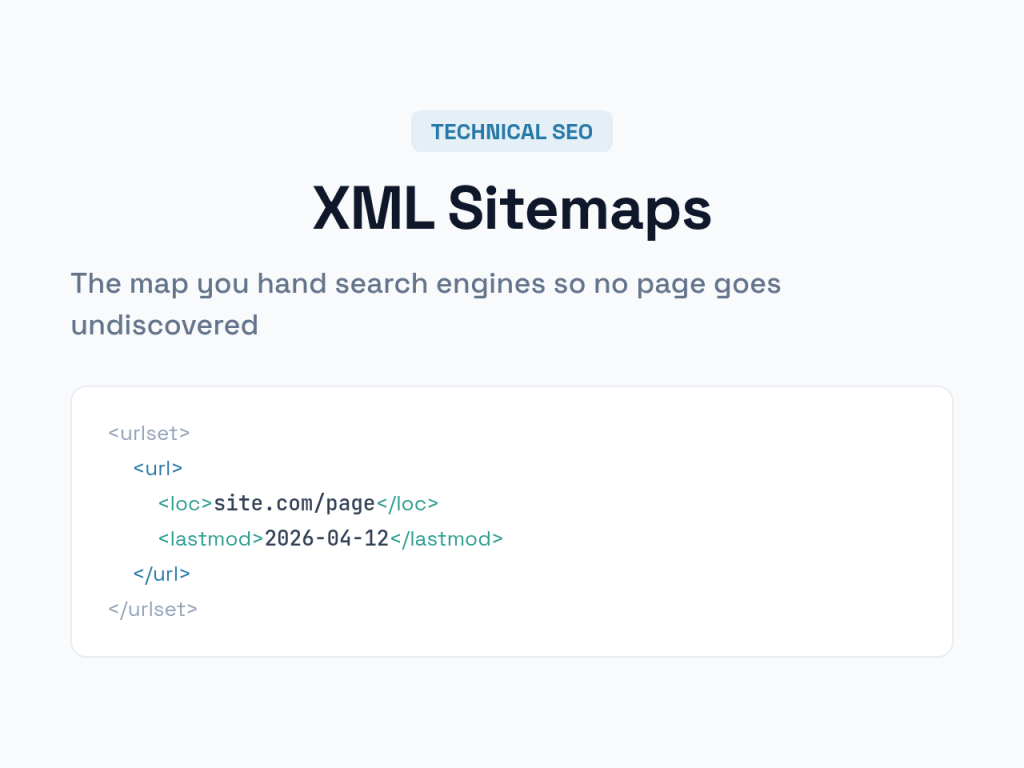
An XML sitemap is a file — usually at /sitemap.xml — that lists the URLs you want search engines to know about. Each entry gives the page’s address and, optionally, when it last changed. It’s written in XML, a structured format that crawlers read instantly, not something your visitors ever see.
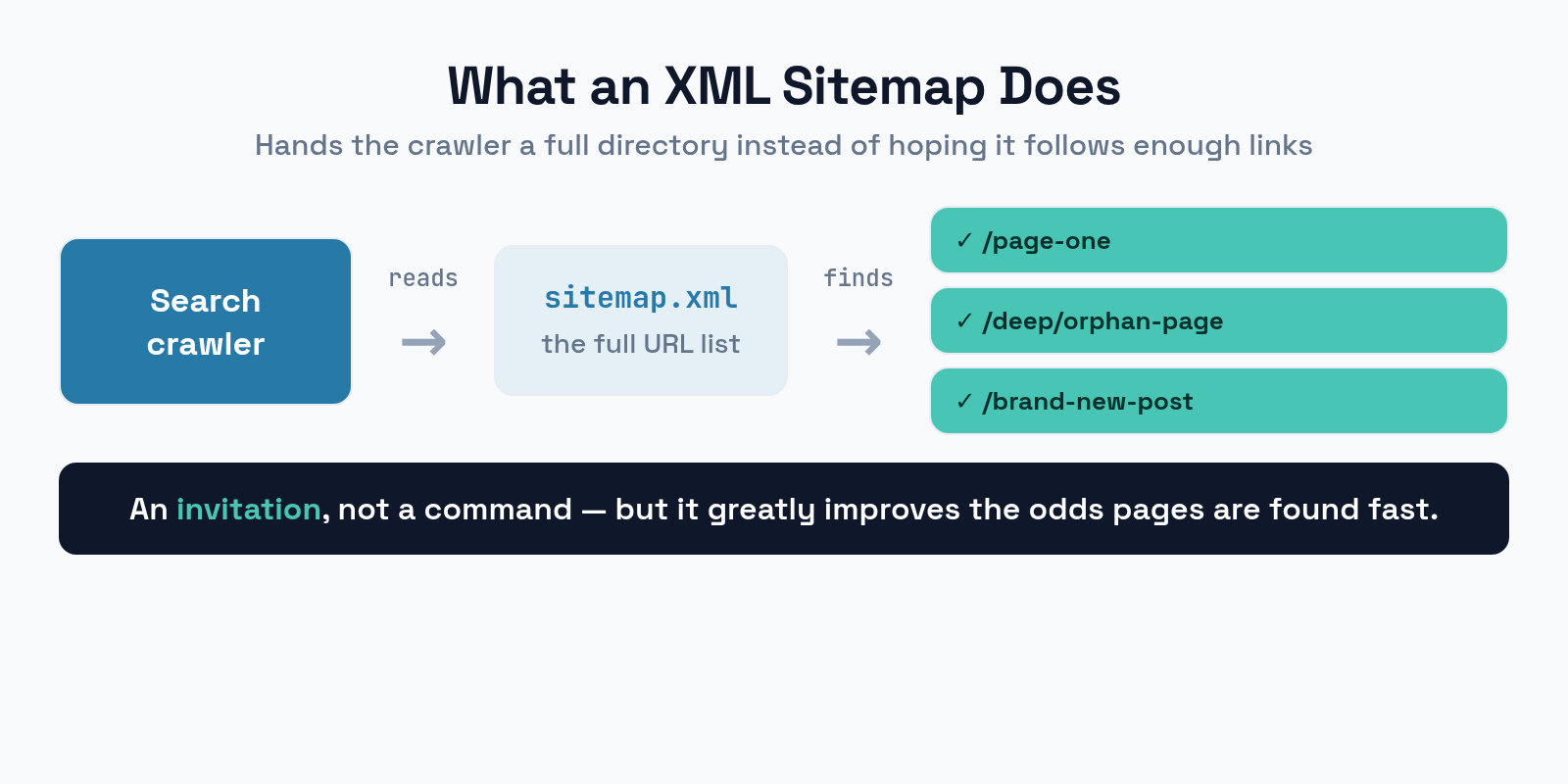
Think of it as a directory you hand to a crawler on arrival. Instead of hoping the search engine follows enough links to reach every page, you give it the full list upfront. The sitemap doesn’t force anything to be indexed — it’s an invitation, not a command — but it dramatically improves the odds that your pages are found quickly.
Why Sitemaps Matter
For a tiny, well-linked blog, a sitemap barely moves the needle — search engines will crawl it fine. The value grows with complexity, and for many sites it’s substantial.
Sitemaps matter most when a site is large, with thousands of pages a crawler might not reach by following links alone. They matter when a site is new, with few external links pointing in to help discovery. They matter when pages are poorly linked internally, orphaned deep in the structure. And they help with fresh content, signaling new and updated pages so they’re crawled sooner. If any of those describe your site, a sitemap is doing real work.
What to Include — and Exclude
A sitemap is only as helpful as it is accurate. Listing the wrong URLs actively confuses crawlers, so be deliberate.
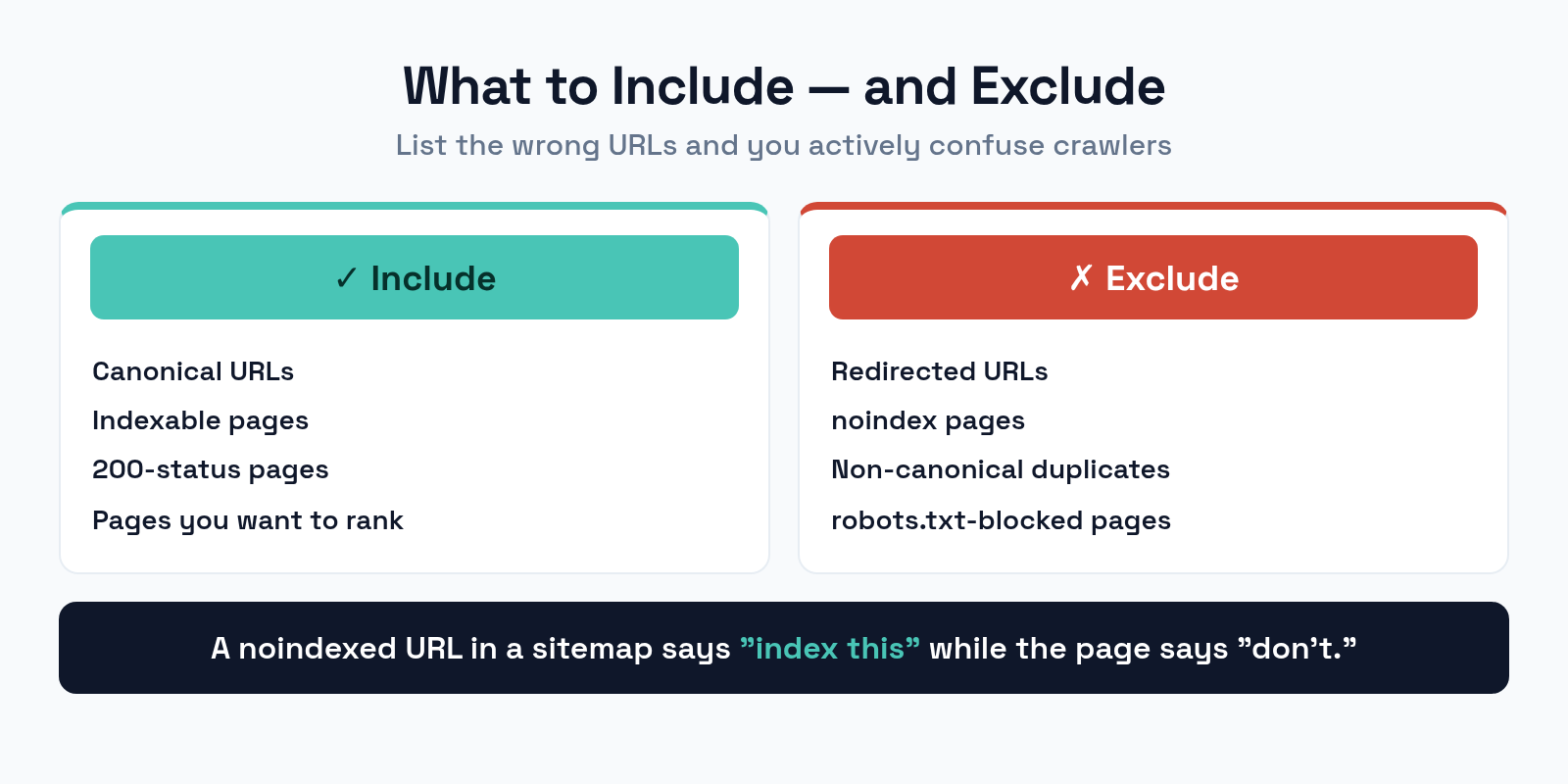
Include only your canonical, indexable, 200-status URLs — the master version of each page you actually want to rank. Exclude anything that contradicts that: redirected URLs, pages blocked by noindex, non-canonical duplicates, and pages disallowed in robots.txt. Listing a noindexed or redirected URL sends a mixed signal — your sitemap says “index this” while the page says “don’t.” Keep the list clean and every entry should point to a page you’d be happy to see in search. This is the same discipline behind choosing your canonical tags correctly.
Anatomy of a Sitemap Entry
Each URL in a sitemap is a small block of XML. Only one part of it really matters.
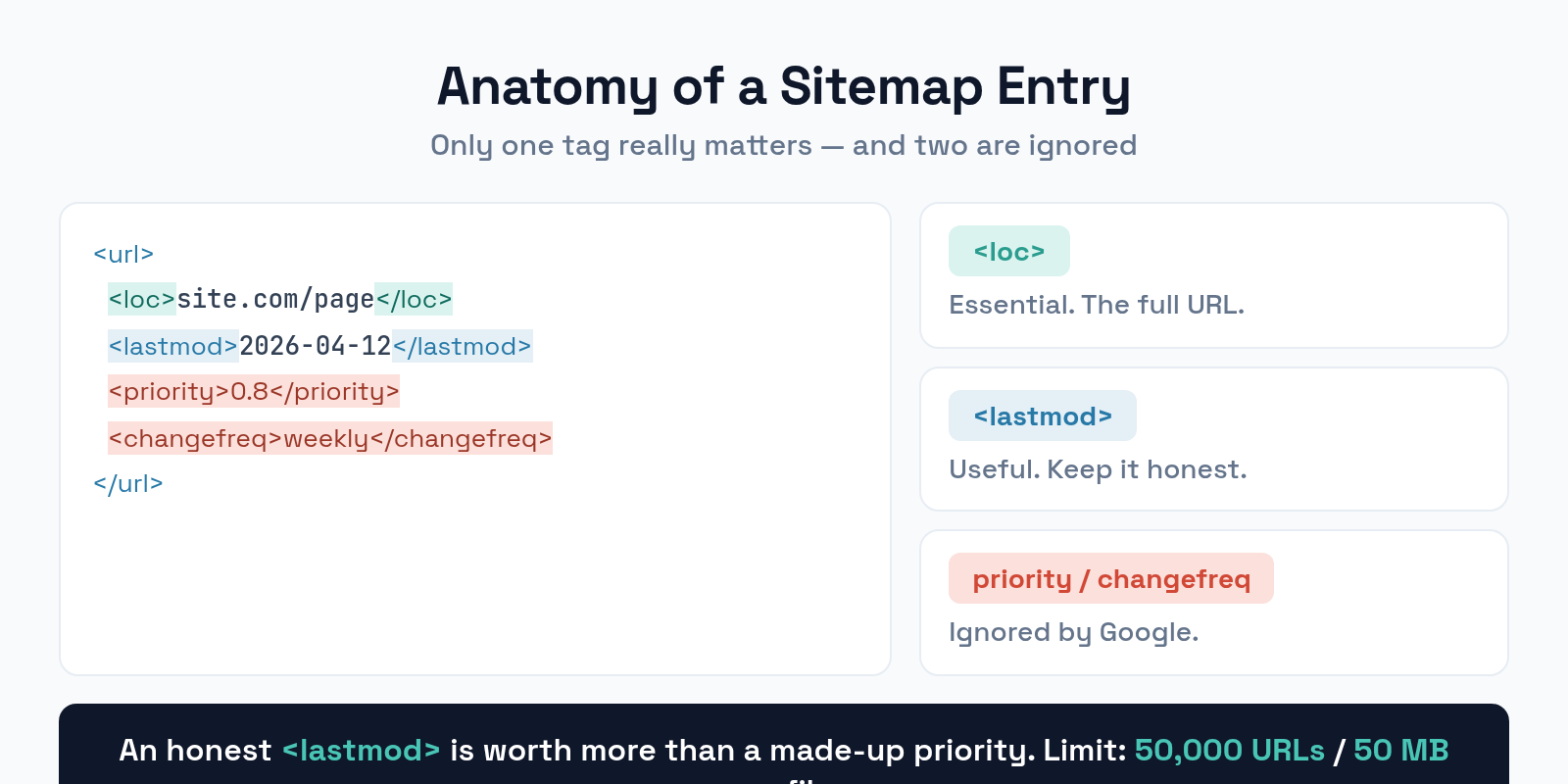
The essential tag is <loc>, the page’s full URL. The useful optional tag is <lastmod>, the date it last changed — keep this accurate, because crawlers use it to prioritize recrawls. The old <priority> and <changefreq> tags are widely ignored by Google now, so don’t waste effort tuning them. An honest <lastmod> is worth far more than a made-up priority.
Creating and Submitting Your Sitemap
You rarely need to write a sitemap by hand. Most platforms generate one automatically, and you just need to point search engines to it.
On WordPress and similar CMSs, your SEO plugin produces and updates the sitemap for you. Once it exists, do two things. First, reference it in robots.txt with a Sitemap: line, so any crawler that reads your robots file finds it. Second, submit it in Search Console (and Bing Webmaster Tools), which confirms the search engine has it and reports any errors it finds. Submission isn’t strictly required, but it gives you a feedback loop that’s worth having.
Sitemap Index Files for Large Sites
A single sitemap has hard limits: 50,000 URLs and 50 MB uncompressed. Big sites blow past these, and the solution is a sitemap index.
A sitemap index is a sitemap of sitemaps — one file that lists several smaller sitemaps, each under the limits. You might split by content type: sitemap-posts.xml, sitemap-pages.xml, sitemap-products.xml, all referenced from sitemap_index.xml. This keeps each file valid and, as a bonus, makes Search Console reporting more granular so you can see which section has coverage problems. Most SEO plugins build this structure for you automatically.
Common Sitemap Mistakes
A broken sitemap is worse than none, because it teaches crawlers to distrust it. Avoid these errors.
- Including non-indexable URLs. Redirected, noindexed, or blocked pages don’t belong in a sitemap. Every entry should be a live, indexable page.
- Letting it go stale. A sitemap full of deleted or 404 URLs erodes trust. Keep it generated dynamically so it stays current.
- Forgetting the robots.txt reference. Add the
Sitemap:line so crawlers that never visit Search Console can still find it. - Faking lastmod dates. Marking every page as “updated today” trains crawlers to ignore the field. Only update it when content really changes.
- Exceeding the limits. Past 50,000 URLs or 50 MB, split into a sitemap index instead of one giant file.
Frequently Asked Questions
Do I need a sitemap if my site is small?
Not strictly — search engines will likely crawl a small, well-linked site fine. But a sitemap costs nothing on a modern CMS and only helps, so there’s no reason to skip it. The benefit grows as your site does.
Will a sitemap make my pages rank higher?
No. A sitemap aids discovery and crawling, not ranking. It helps search engines find and recrawl your pages, but ranking still depends on content quality, links, and relevance. Faster discovery is its job, not better positions.
How often should my sitemap update?
Automatically, whenever your content changes. A dynamically generated sitemap stays accurate without effort. The point is that it reflects your live site — stale sitemaps cause more harm than infrequent ones.
Where should my sitemap live?
Conventionally at /sitemap.xml or /sitemap_index.xml in your root. Wherever it lives, reference it in robots.txt and submit it in Search Console so crawlers can reliably find it.
The Bottom Line
An XML sitemap is the cheapest insurance you can buy against pages going undiscovered. List only your canonical, indexable URLs, keep lastmod honest, reference the file in robots.txt, and submit it in Search Console. Split into a sitemap index once you pass the size limits. It won’t lift your rankings on its own, but it makes sure every page that deserves to rank actually gets the chance — which, for larger and newer sites, is half the battle.