JSON Formatting and Validation: A Developer’s Guide
 Anna Novak
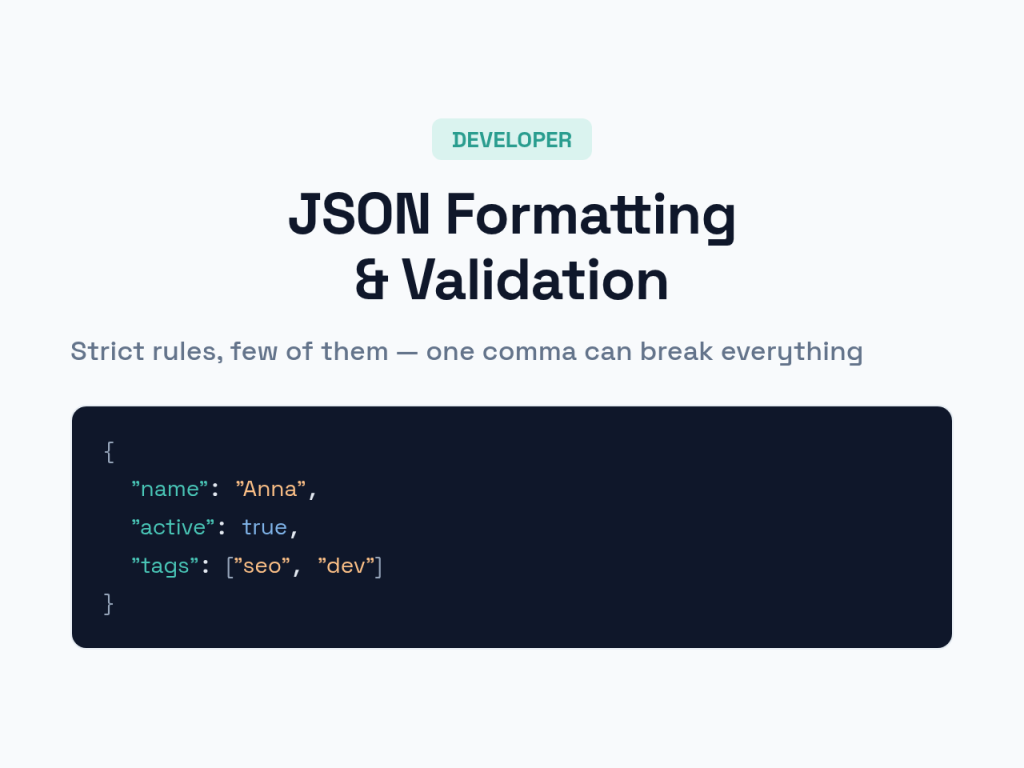
JSON is everywhere a developer looks — API responses, config files, structured data, database records — and yet a single misplaced comma can break an entire integration with an error message that points nowhere useful. JSON’s rules are strict and few, which is both why it’s so reliable and why a tiny slip causes so much frustration. This guide covers the syntax that matters, the errors that bite, and how to format and validate JSON so it just works.
When you need to clean up or check a snippet right now, paste it into our JSON formatter — it pretty-prints and validates in one step. Understanding the rules underneath makes the errors it catches make sense.
What Is JSON?
JSON — JavaScript Object Notation — is a lightweight, text-based format for storing and exchanging data. It’s human-readable, language-independent, and has become the default way systems pass structured data to each other. Despite the name, it’s used far beyond JavaScript: nearly every programming language reads and writes it.
Its appeal is simplicity. JSON represents data as nested key-value pairs and lists, using a handful of strict rules and just a few data types. That strictness is a feature — it means any valid JSON parses the same way everywhere — but it also means the format is unforgiving of small mistakes.
JSON Syntax: The Rules That Matter
Almost all JSON consists of two structures and a few value types. Learn these and you can read or write any JSON document.
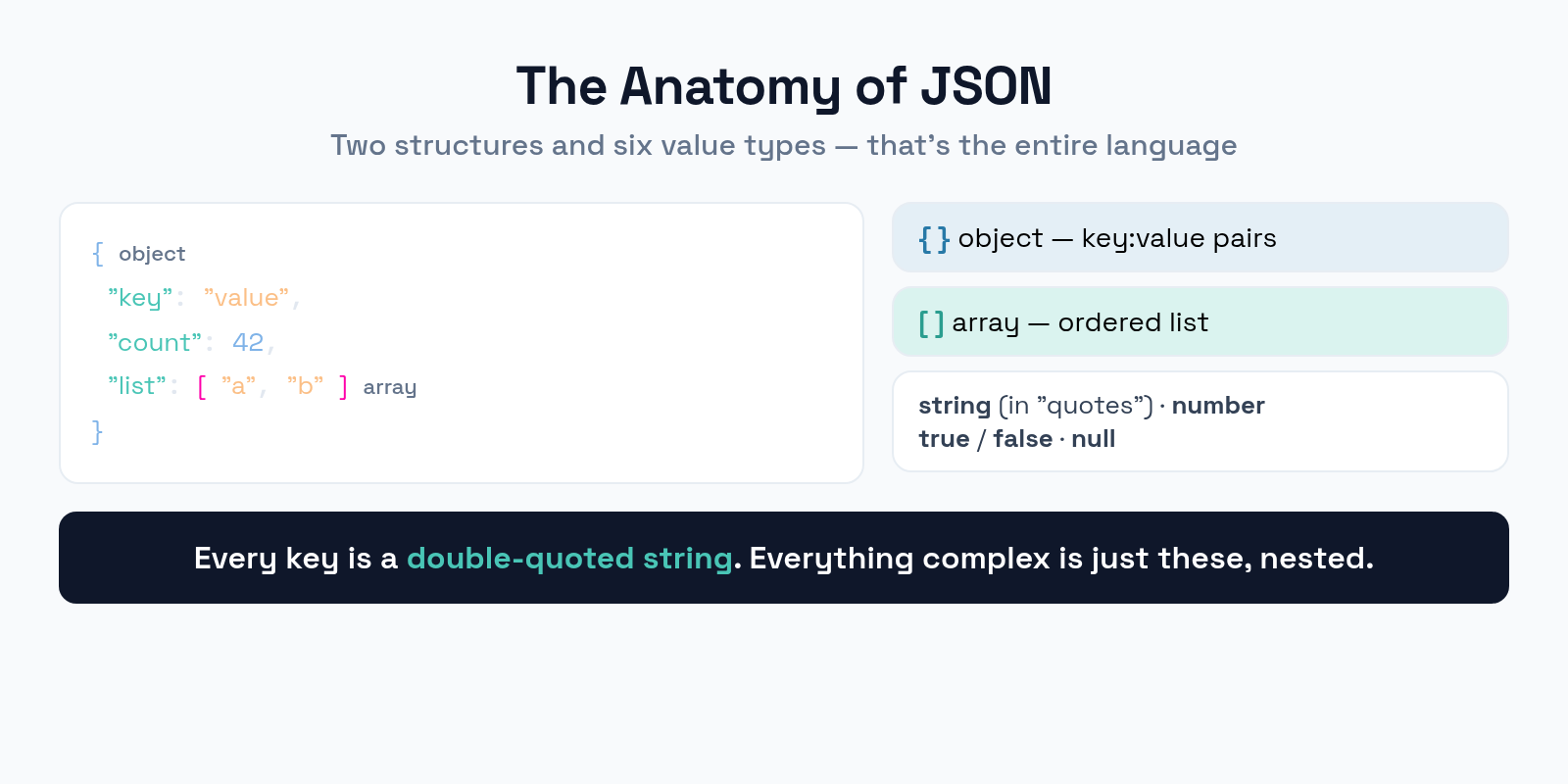
Objects are wrapped in curly braces {} and hold key-value pairs, where every key is a string in double quotes. Arrays are wrapped in square brackets [] and hold an ordered list of values. The values themselves can be one of six types: a string (always double-quoted), a number, a boolean (true or false), null, or a nested object or array. That’s the entire language. Everything complex in JSON is just these pieces nested inside each other.
Why Formatting Matters
A valid JSON file can be a single unreadable line or a neatly indented, scannable document — both parse identically, but only one is debuggable by a human.
Formatting — also called pretty-printing — adds indentation and line breaks so the structure is visible at a glance. When you’re hunting for a missing bracket or a misnamed key in a 200-line API response, formatting is the difference between finding it in seconds and giving up. It changes nothing about the data; it only changes how readable it is. The habit of formatting JSON before you read it saves more debugging time than almost any other small practice.
Common JSON Errors
JSON’s strictness means a few specific mistakes account for the vast majority of parse failures. Recognize them on sight and you’ll fix most errors instantly.
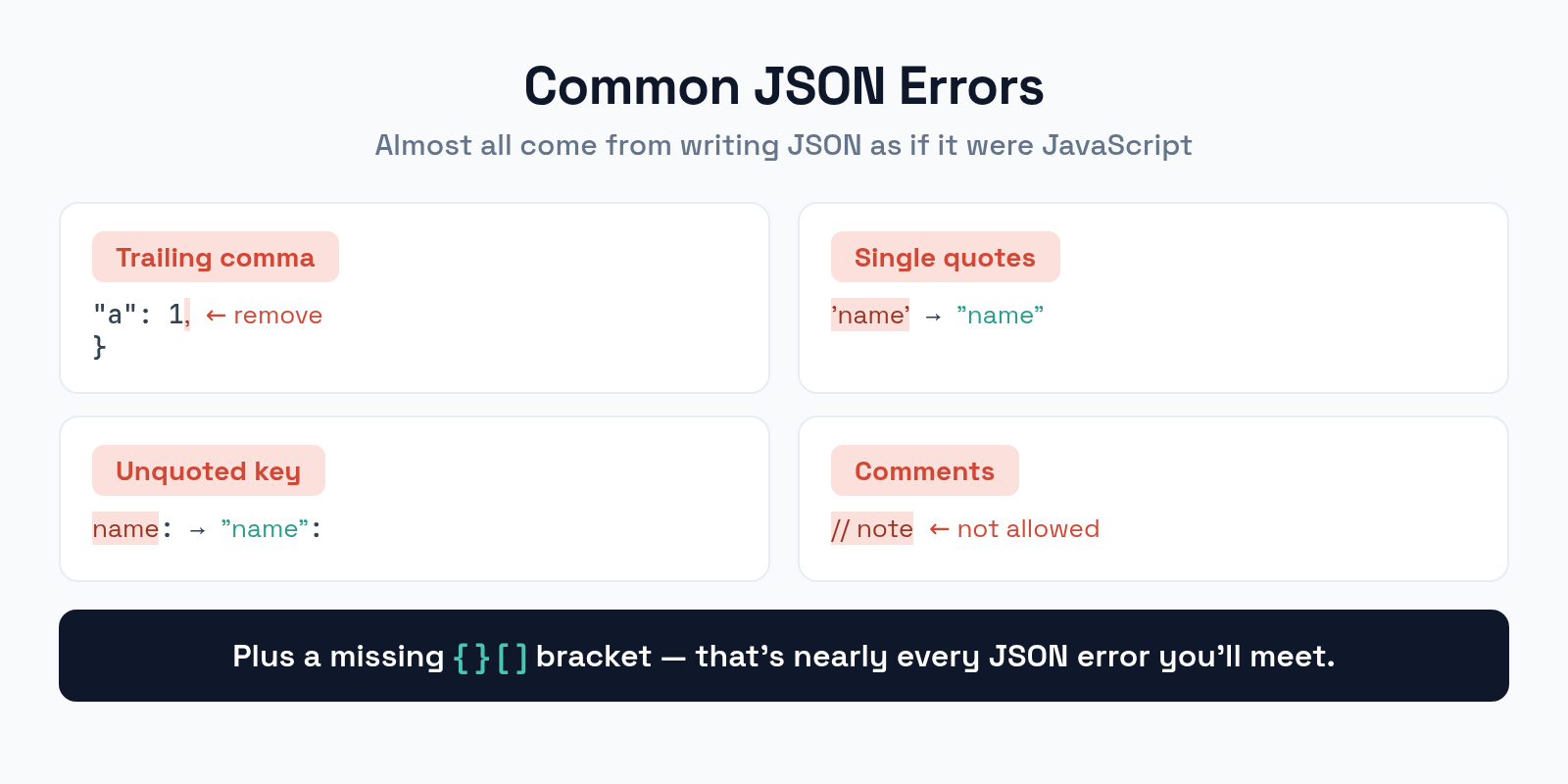
The classic culprits: a trailing comma after the last item (valid in JavaScript, invalid in JSON), single quotes instead of the required double quotes, unquoted keys (every key must be a quoted string), and comments (JSON has no comment syntax at all). Add to these a missing closing bracket and you’ve covered nearly every JSON error you’ll ever meet. Most come from writing JSON as if it were JavaScript — but JSON is the stricter, quieter cousin.
Validating Your JSON
Validation answers a yes-or-no question: does this text follow JSON’s rules? It’s the fastest way to catch a syntax error before it breaks something downstream.
A validator parses your JSON and either confirms it’s well-formed or points to the exact line and character where it breaks. This matters because the error messages from application code are often cryptic — a parser deep in your stack might just say “unexpected token” with no context. Running suspect JSON through a dedicated validator first turns a vague failure into a precise location. Validate before you ship JSON into a config file, an API call, or a structured data block, where a silent syntax error can quietly disable the whole thing.
Minify vs. Prettify
Once your JSON is valid, you’ll format it one of two opposite ways depending on whether a human or a machine is the audience.
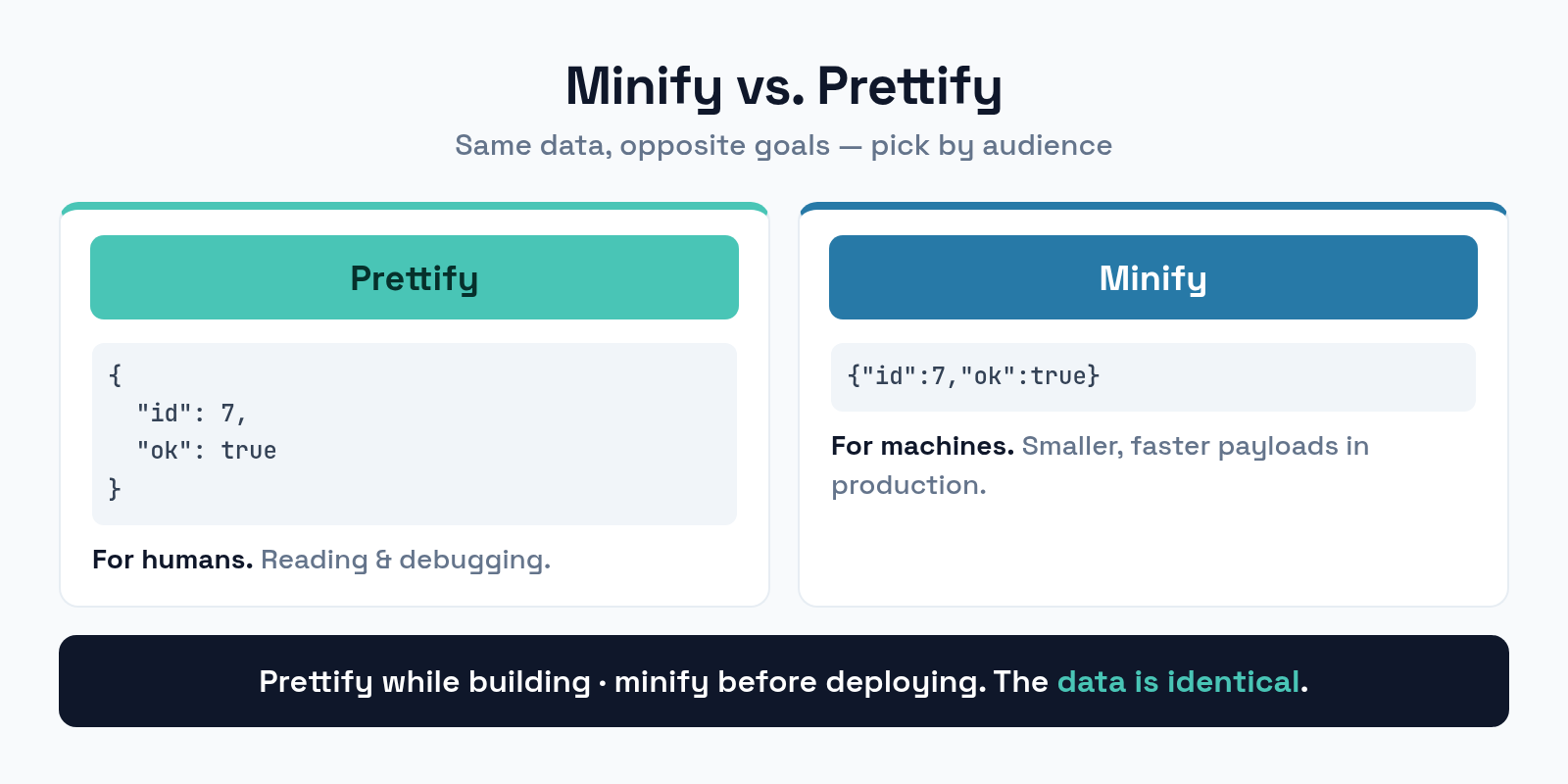
Prettify adds indentation and newlines for reading and debugging — use it while you’re developing or inspecting data. Minify strips all unnecessary whitespace into a single compact line — use it in production, where smaller payloads mean faster transfers and less bandwidth. The data is identical either way; you’re just choosing readability or size. A common workflow is to prettify while building and minify before deploying.
Common Mistakes to Avoid
Beyond syntax errors, a few habits cause repeated trouble. Steer clear of these.
- Treating JSON like JavaScript. No trailing commas, no comments, no single quotes, no unquoted keys. JSON is stricter — respect the rules.
- Skipping validation. A silent syntax error can disable a config or a structured-data block without any visible warning. Validate first.
- Editing minified JSON by hand. One unreadable line is a recipe for errors. Prettify it, edit, then minify again.
- Mismatched brackets. Every
{needs a}and every[needs a]. Formatting makes mismatches obvious. - Wrong data types. Quoting a number turns it into a string;
"42"and42are not the same to a parser.
Frequently Asked Questions
Can JSON have comments?
No. Standard JSON has no comment syntax — adding // or /* */ makes it invalid. If you need to annotate a config, some tools support relaxed variants like JSON5 or JSONC, but plain JSON consumed by an API or parser must stay comment-free.
Why does my JSON fail with a trailing comma?
Because JSON forbids a comma after the last element of an object or array, even though JavaScript allows it. It’s the single most common JSON error. Remove the trailing comma and the parse succeeds.
Does formatting change my data?
No. Prettifying and minifying only add or remove whitespace. The keys, values, and structure stay exactly the same, so a parser reads both forms identically. You’re changing readability and size, never the data itself.
Should I use single or double quotes in JSON?
Always double quotes — for both keys and string values. Single quotes are valid in JavaScript but invalid in JSON, and using them is a frequent source of parse errors. When in doubt, double-quote everything that’s a string.
The Bottom Line
JSON is simple by design, and its strictness is exactly what makes it dependable across every language and system. Master the two structures and six value types, format your JSON so humans can read it, and validate it before it goes anywhere it can silently break. Remember that most errors come from treating JSON like JavaScript — no trailing commas, no comments, no single quotes. Prettify while you work, minify before you ship, and a format that frustrates beginners becomes one you barely have to think about.